I’m five years out on a PC upgrade. So, I dropped an ASUS ROG Strix X870E‑E ATX board and a Ryzen 7 9800X3D into Cooler Master’s MasterFrame 600, and cable chaos never had a chance. At 531 x 261 x 544mm (Incl. Protrusions), this thing doesn’t just accommodate big components – it invites them. I initially was curious what all the extra space was for. However, after loading it up with a Sapphire 9070 XT, I’m not even sure my old case could have handled it. These GPUs are massive, but the MasterFrame 600 makes it look amazing. From Mini-ITX up to E-ATX, with GPU clearance length up to 485 mm and support for CPU coolers on the side or top, there’s pretty much not a build this case can’t handle comfortably.
However, I’d argue it’s the design that I love most. The MasterFrame 600 is more than a PC case – it’s a fully modular, open-air showcase. The FreeForm™ 2.0 structure combines two side wings and a center frame, all connected by sturdy hinges. Each panel is adjustable or removable – without the need for a screwdriver. This saved me so much time during my build! Want an open-frame layout? Easy. Prefer a test-bench configuration? Do it. Don’t like the power supply at the bottom of the case? Move it to the top. The I/O panel and GPU bracket can be positioned or removed depending on your mood and build goals. Me? I like to keep things simple, so I just built with the original power supply configuration at the bottom of the case.
So yes, I love the design, but the intentionality around cable management is a thing to behold as well. Behind the motherboard tray sits 40 mm of clearance – plenty of room to hide power cables, fan connectors, RGB headers, and anything else that might otherwise clutter the view. That generous space let me route the 24-pin, Extended Power Supply, and GPU power lines cleanly, without crowding or forcing awkward bends. No zip-tie wrestling match required for this guy.
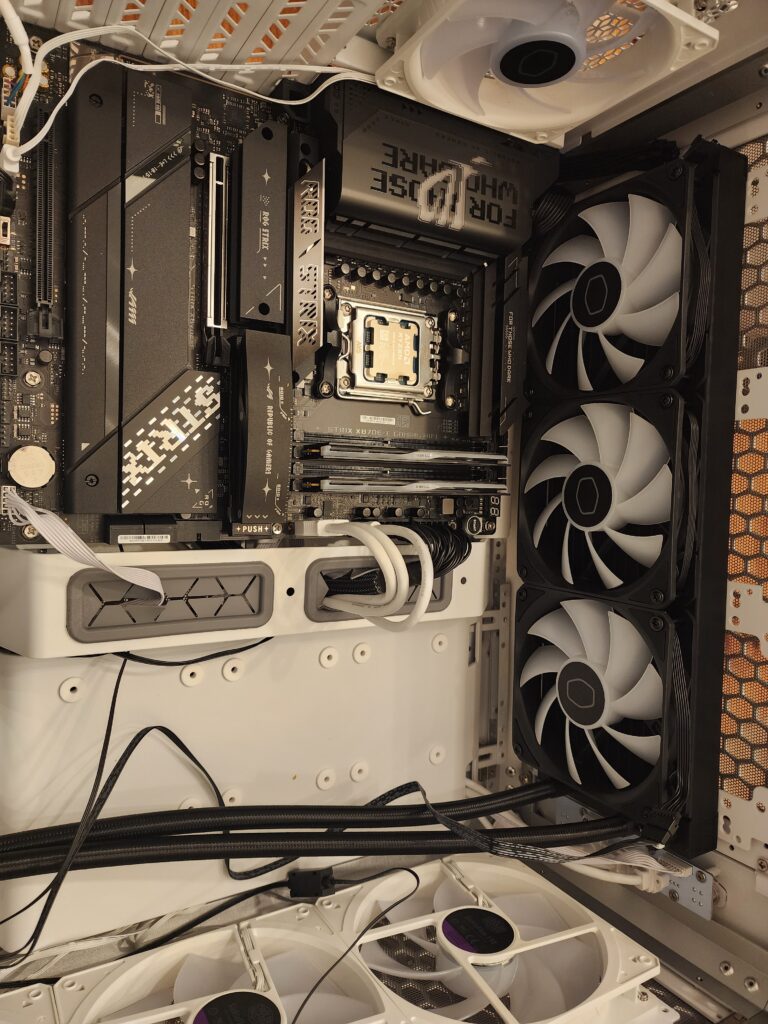
Cooling options are nothing short of overkill – albeit in the best way. You can mount up to a 420 mm radiator (if I/O module is moved to the front panel – 360 otherwise), and a 120 mm in the rear. There are mounts for up to seven fans in total, giving you serious airflow customization. Cooler Master was “cool” enough to send me the Cooler Master MasterLiquid 360 Core II in addition to the case. I mounted it on the top of the case, using the 400 mm tubing to comfortably route to the CPU.
The dual-chamber pump sat cleanly atop my brand-new Ryzen 7, and installation was painless. Bear in mind this is my first time installing a Liquid Cooling device. It was easy. Direct placement and plenty of room to tighten things down without bumping other components. Now my CPU is enjoying some amazing temps even under duress – I will never go back.
The included fans – three 140 mm front and one 120 mm rear, all ARGB – plugged straight into my motherboard headers. With the ASUS Aura Sync software, I dialed in a smooth rainbow wave that matched across fans, the cooler pump, and the ROG board’s LEDs. Everything synced right away, and the lighting coordination added a premium polish to the whole build. Pretty sweet.
The GPU support bracket? A nice touch. It held my hefty graphics card level, and the mounting rail let me fine-tune the height, so it wasn’t resting or sagging in place. Between that and the rock-solid steel core of the frame, I wasn’t worried about structural integrity. This case may be open and modular, but it’s built like a tank. So, I guess if I had any complaint, it is simply that it is heavy. I’ve transported it twice to different locations. It holds its own just fine with superior durability. Compared to my old case, this thing is a beast.
Installation felt less like assembly and more like arrangement. Magnetic panels popped on and off without tools. Components had room to breathe. Simply put, everything feels deliberate and accessible. I’m not fumbling to fit hands in narrow spots or questioning airflow routes. Even drive mounting is simple – supporting two 2.5″/3.5″ drives via trays on the rear of the frame. Admittedly, I did not test this as I use M.2 board slots, but the support is there.
Now, it’s not all roses. The MasterFrame 600 rewards planning, not haste. You don’t want to just slap parts in here and call it done. Rails may need alignment. Panels may require thought. But if you’re the type of builder who enjoys making decisions and treating a PC as a personal project, not just a machine, it most certainly delivers.
Thermally, the MasterLiquid 360 Core II handled everything I threw at it. The Ryzen 7 9800X3D stayed cool even under heavy load, and the pump/fan combo barely whispered. The open-air design of the case certainly helps with passive airflow, but it’s that triple-fan, high-surface-area radiator doing the heavy lifting. According to Cooler Master, the pump design improves flow and reliability – and in my hands-on testing, it worked flawlessly.
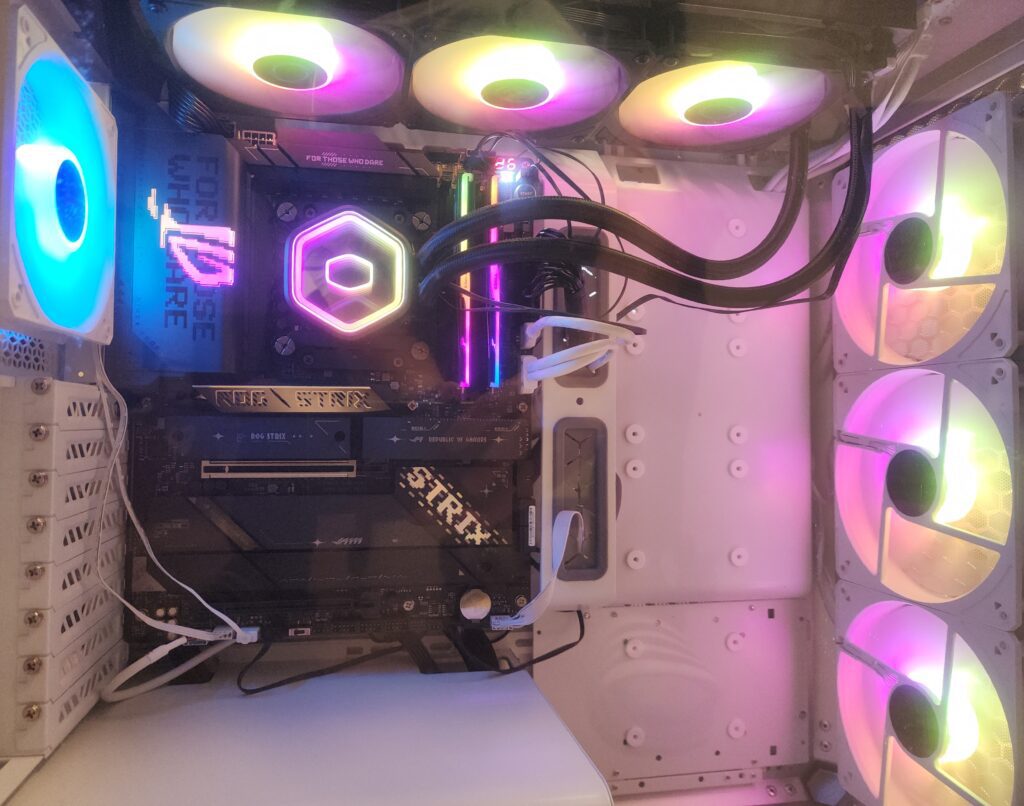
Aesthetically, the case is just stunning. The brushed aluminum side wings (I have silver) and full-size tempered glass panel give it a modern, industrial look. Cooler Master even offers optional panel customization – wood-textured inserts or mesh. Obviously, this is for those who want to personalize further. But even stock, the case feels more like a showpiece than a housing unit.
Summing it up:
Building in the MasterFrame 600 doesn’t feel like assembling a PC. It feels like setting a stage. Every cable, every fan, every bracket serves a purpose – and every choice you make gets reflected in the final form. With the MasterLiquid 360 Core II keeping the processor cool and quiet, and the case making cable management borderline enjoyable, this build became one of my cleanest, most satisfying yet.
This isn’t the case you buy because it’s easy (even though it is). It’s the case you buy because it’s right.