I didn’t want the Perlegear SonicBeam Speaker Stands to just prop up my PC surround speakers. I wanted to test them to fix the setup. Prior to receiving the stands, my rear speakers were scattered on mismatched surfaces, cables flying everywhere, and the sound never quite came together. Here’s why these stands change all that with flying colors.
Dual tray flexibility
The SonicBeam Speaker Stands come with two tray options. I use the universal flat tray for my generic rear speakers, but they also come with a custom tray that apparently work perfect for the Sonos Era 300 speakers. The universal tray works perfect to set other Sonos speakers on, but they also fit my Edifier bookshelf speakers and frankly any small to medium size options. I place each speaker angled slightly in towards my desk chair. This small adjustment really tightens up the surround for games and movies alike.
The trays are so solid and well-sized. I don’t need extra pads or adapters. I just set the speakers on top, nudge them into the right spot, and they stay put. If I ever upgrade? I guess I’m not too worried about it. These stands are very solid – incredibly heavy and well built. They will be ready for whatever I choose next.
Vibrant RGB: Creating an atmosphere
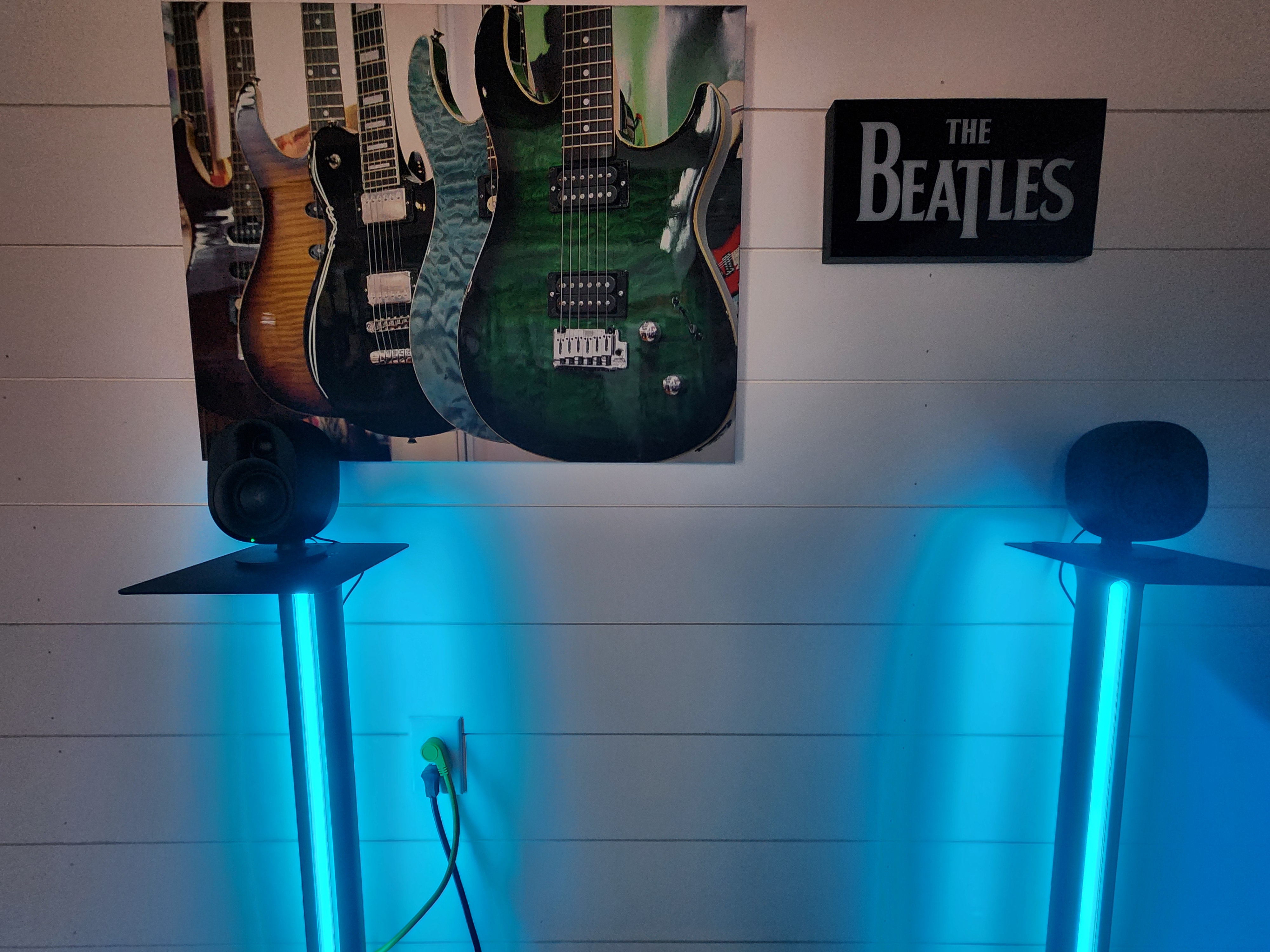
Okay – this is where the SonicBeam stands really shine – literally. Placed behind my PC setup, the multi-color RGB ambient lighting really turns the room into a living space. It gives it character, whereas before it was more of a cold cable-ridden tech corner. In my basement the lights really give off an ambience that add immersive “vibes” for gaming and music. The stands come with a remote that allows me to set lighting to a wide variety of ambient themes. I can keep them as a static color, create a rhythmic pulse, or even sync them to music where they react to what is playing.
Music sync might be my favorite. The bass thumps and the colors dance along with the track. They respond quickly too. I’ve tested other lights that react way too late and give me a headache they are so offbeat.
The Perlegear app and remote make it ridiculously easy to change the settings, I can change color, adjust brightness, or even set a timer so the lights auto turn off after a time of my choosing. This comes in real handy because I never remember to shut lights off when I leave the room.
Cable management
Yes, the stands have phenomenal cable management included. The design is absolutely fantastic – to a degree. As I setup the Sonicbeam stands (~30 min setup) I quickly come to realize the cables are going to be nearly invisible. Small rubber stoppers fit perfectly into a designed seem in the back of the stands to hide all cables. I was thrilled at first. Then I put the speakers on them and plugged the actual stands in and my excitement waned. Yes, the Perlegear Sonicbeam Speaker Stands hide the cables for the speakers. The plugs for the stands themselves, however, are gigantic. I now have a power strip behind me with two rather large plugs (for the RGB lights), and the power for the speakers themselves plugged in. For perspective, the power strip has 6 outlets and only 3 plugs fit into it. What I thought was a sweet win actually ended up being pretty ugly anyways.
Summing it up
I’ve been waiting for some sweet speaker stands to complete my surround sound system setup. The SonicBeam stands from Perlegear are near perfect. The phenomenal ambience and responsive RGB lighting are an amazing highlight of a solid design. If you have a place to place these where you can also hide the plugs, you will be in great shape. The stands naturally hide the speaker cables themselves, but I struggled to hide the plugins.
That being said many may find a way to do this behind a couch or TV stand. These have to be some of the coolest ambient stands on the market, and the quality is top of the line. They are compatible with the vast majority of speakers with a bias for Sonos Era 300’s. Other speakers may just rest on the stands so if you are worried about bumping them or knocking them off the stand, you may want to look for a different option.