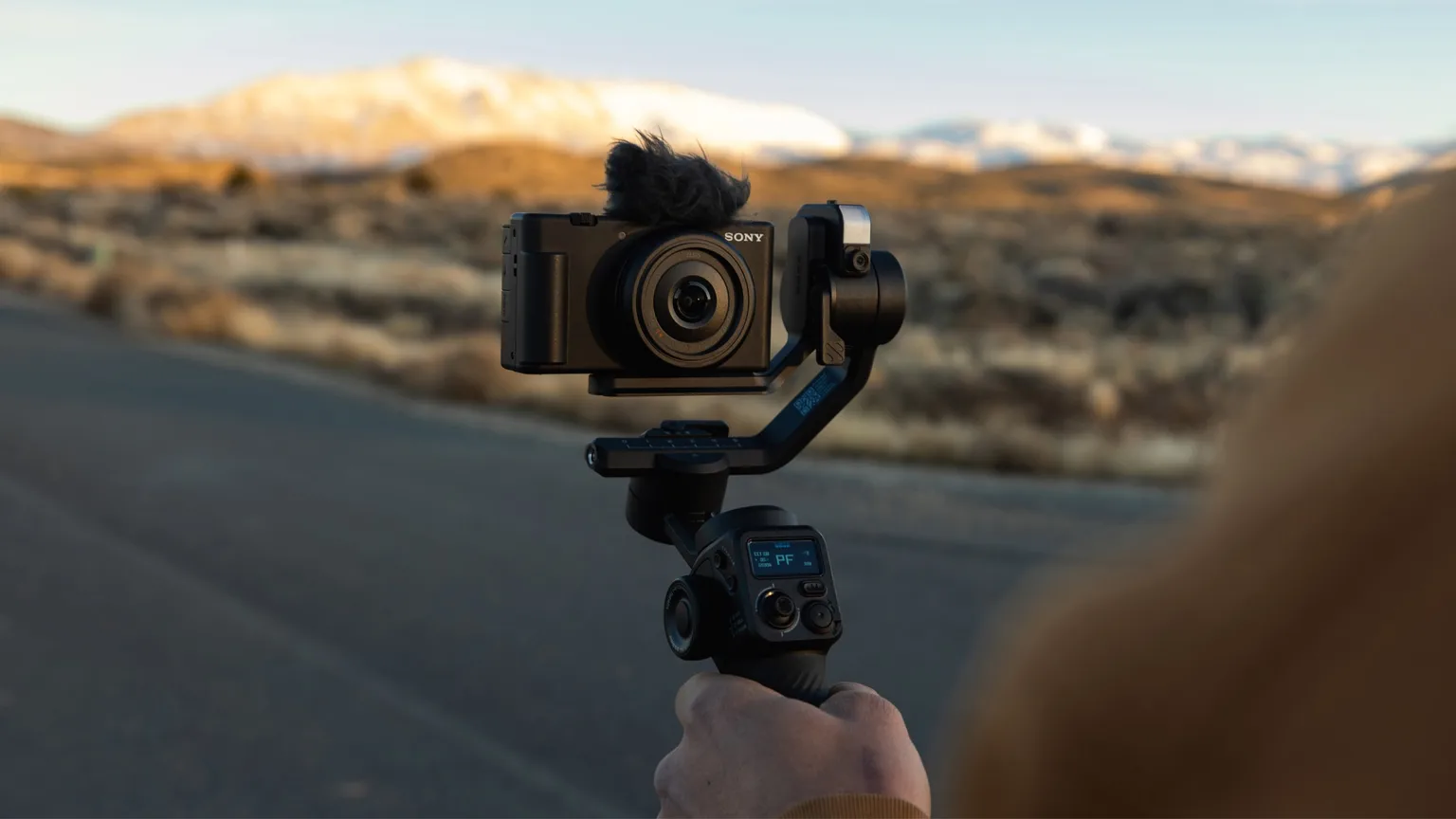
Summer means that people are outside, enjoying the weather, and (for creators) taking more videos than ever. I’ve had a lot of time to test the GoPro Fluid Pro AI gimbal. The conclusion that I’ve landed on? It’s the greatest video-accessory I’ve ever used. After testing the gimbal with my smartphone, the GoPro MAX2 (check out that review here), and just spending some time playing around with it, these are my favorite features for the GoPro Fluid Pro AI along with my pros and cons.
Incredible stabilization for a professional look
Anyone can take a video, but achieving that polished, professional look is difficult. This is where the Fluid Pro AI shines; a 3-axis design ensures smooth recording every time. The impressive motor allows for tilts, rolls, and 360° pans so that you never miss a moment. This also means that you can easily adjust to get the exact angle you need, whether you’re using it hand-held or mounting. Personally, I held the gimbal. While this would usually lead to shaky footage, the stabilization measures and fine-tuned adaptability meant I still ended with polished content instead of something you’d need Dramamine to watch. The device also didn’t feel heavy quickly, thanks to a lightweight design that’s still sturdy enough to easily support up to 400g for your phone or camera.
AI subject tracking: pros & cons
It’s not a premium gimbal for nothing. Maybe the stand-out feature when it comes to this GoPro accessory is its AI subject tracking capability. Included with this product is an AI subject tracker module (that can easily be toggled on and off) that helps keep your target in the shot. I’ll admit that it felt weird at first letting the gimbal adjust for me, gracefully pivoting on multiple axes to keep the perfect frame. It almost feels sentient, but intelligent is a better word. But that’s the whole point, the smart tracking is smart and gives GoPro a competitive edge against less-advanced competition.
But while this is a major selling point for the Fluid Pro AI, it is also where I came across a con. From my experience, the AI tracker was difficult to lock onto the right target at first. For me it needed some more playing around with in order to lock on and keep me centered in frame. That being said, I’m only an amateur, and a videographer with more experience could have a much easier time learning this feature. Additionally, whether you prefer the tracker or not, the device comes equipped with great hand-held controls including a roller and joystick so that you can easily make manual adjustments.
More pros: GoPro Fluid App, built-In LED, and more
More pros for the Fluid Pro AI are that it offers lots of convenient, wireless tools through the GoPro Fluid app. Here is where you can perfect use of the AI subject tracker, adjust remote control (including joystick and motion control), and customize a wide array of other settings to fit your needs. I was able to pair the device very quickly in-app with no issues.
I also really loved the built-in LED light. Compared to some of the more advanced add-ons, it may feel like a small thing. But having the light built in really improved quality of content and increased versatility. This means it doesn’t become obsolete in low-light settings or at nighttime. The roller also allows you to adjust the brightness and temperature depending on what fits best. An impressive battery life also makes it perfect for unexpected adventures (speaking of which, these are another great accompaniment).
Finally, as someone who’s chronically indecisive, I appreciated how easy it is to switch out the device that you have attached to the gimbal. While my GoPro MAX2 provided the highest quality content, there were times where I wanted to switch out to my smartphone for something more casual.
The $229.99 price point may feel a little steep, but it’s right around the sweet spot for a high-quality gimbal. That number drops to $183.99 for subscribers, making an offer that’s hard to refuse.
My cons: less beginner friendly
To preface, the GoPro Fluid Pro AI really is a high-quality product that delivers on its expectations. That being said, a con I did have was how finnicky the device could be. It seemed especially so compared to learning to use my GoPro MAX2 (granted, the Fluid Pro AI has a lot more moving parts, as in actual panning/rotating/tilting parts). Where the MAX2 was extremely beginner friendly and perfect for an amateur like me, the Fluid Pro AI took a lot more time to learn.
Most of this can simply be boiled down to a skill-issue.
But, it would be nice if there were more resources to walk through the basics and learning the ins and outs of the gimbal. Balancing the device and perfecting the AI tracker were the big ones for me, but I also ran into a couple of errors and over-heating issues while I was still learning to use it. But once you get the hang of it, the results are well-worth the time and effort.
Conclusion: GoPro Fluid Pro AI lives up to the GoPro name
After reviewing this product I can safely say that I’m a big fan. It’s the creator/videographer’s best friend, improving content quality without distracting from the moment. The advanced stabilization measures and AI subject tracking makes the Fluid Pro AI innovative but practical. While it takes a little longer for beginners to learn, intermediate and expert users can agree it’s a beast worth taming. Even as a beginner (who had never used a gimbal before) that needed to put in a little extra time, I ended up loving the device! It’s clear that the pros far outweigh the cons when it comes to GoPro’s amazing Fluid Pro AI.