If you’ve ever been through the tedious hellscape of setting up a home projector, you know how unforgiving it can be. Every angle needs to be perfect. Too far, and the picture will be distorted and dim. Too close, and it won’t be the right size. Off-center, and you’ll be left with a trapezoid.
In recent years, many companies have done their best to give consumers a quick and easy setup, getting rid of the things that made projectors so inaccessible to the average user.
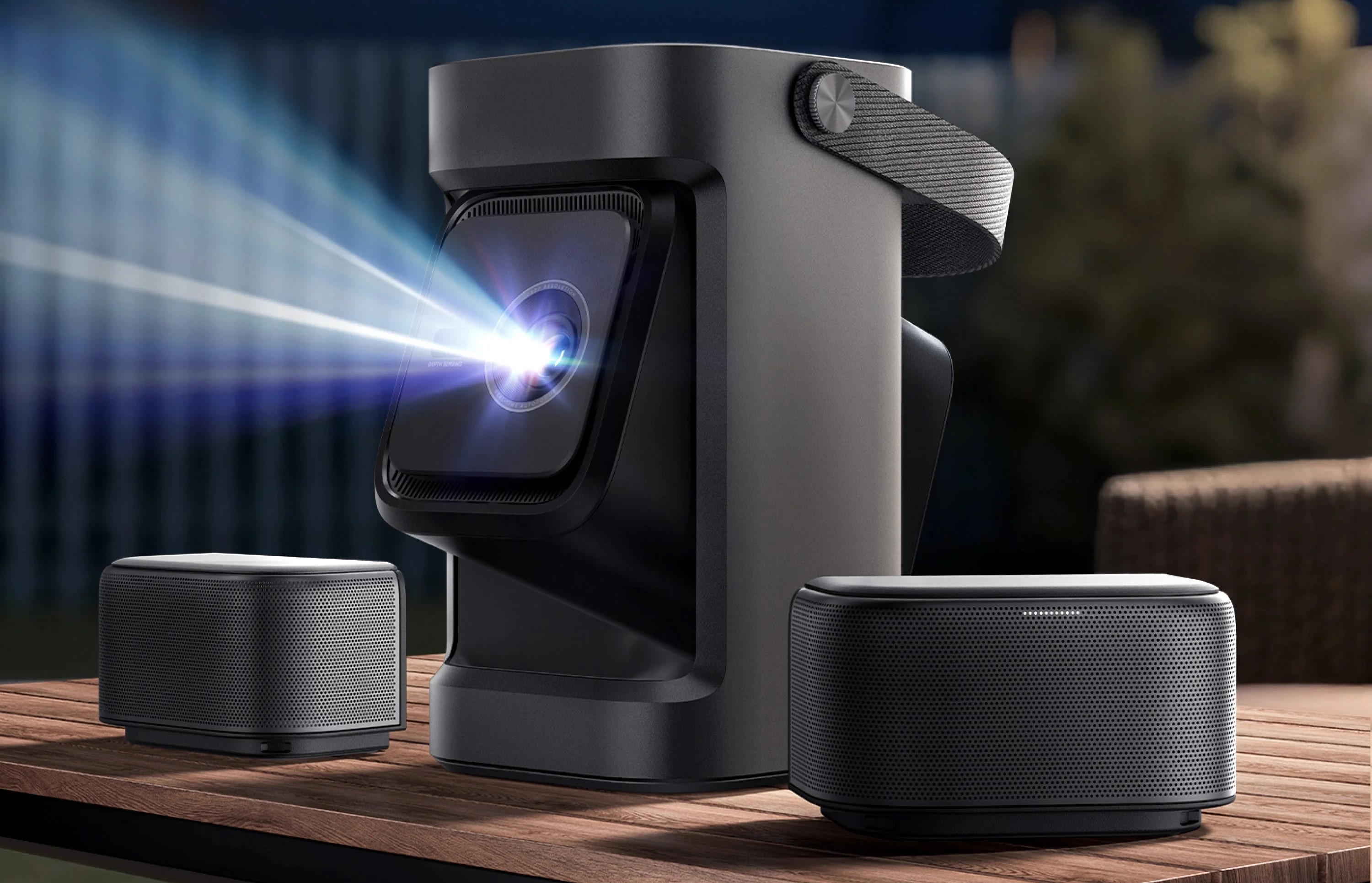
The Nebula P1 is the latest to take a shot at removing these barriers, and it starts right out of the box. Mounted on top of the P1 are two small wireless speakers that come off the device with a quick slide of a release switch. Being able to place the speakers wherever you see fit deserves a mention when talking about what makes the P1 a great option for anyone who wants an easy start with a projector.
When separated, the speakers do their best impression of a surround sound system. They have plenty of volume and just enough punch that you won’t need to worry about pairing another set of speakers with them.
They still work when mounted on top of the P1, and they charge the whole time they’re docked. Once removed, Soundcore claims 20 hours of playback on a single charge, and I won’t argue with that. After a bout of Sunday Night Football and a movie, about six hours of wireless use in total, each speaker still read 83% battery.
For me, though, the above-average speakers are where the “easy-to-use projector” features ended. The P1 has a few settings that are supposed to automatically adjust framing, focus and keystone. I set it up on five different surfaces: several walls with different lighting and wall colors, plus a dedicated projector screen. In all five setups, I was never close to happy with the job the automatic systems did.
Each time, I had to adjust the settings manually, and not just to get it “perfect.” In many cases, the keystone and picture shape were so far off that I had to double-check whether it had even tried to adjust. It had.
The settings in the Android operating system were easy enough to navigate, but I got more annoyed each time I had to open the menu and go through the somewhat lengthy process just to use the projector.
The Nebula P1 also has a companion app that can make automatic adjustments using a photo of the projection taken in the app. Perhaps unsurprisingly, this didn’t work either. I will say that adjusting the picture through the app was a bit easier than using the somewhat glitchy settings on the projector itself.
The P1’s design makes its purpose clear, but its practical capabilities don’t live up to it, which leaves this projector in a no man’s land of tech. The Nebula P1 was made to be an on-the-move projector: late-night movies in the backyard, Saturday morning cartoons on the bedroom ceiling, something you can move again and again and use in different environments. The problem is simple. The P1 just isn’t bright enough or easy enough to set up to make that enjoyable.
The P1 asks to be used in imperfect environments but can’t perform in them. In a dark room, at exactly the recommended distance, on a perfectly placed projector screen, I was happy with the results. The picture was clean, the colors were bright and popping, and the speakers were more than adequate. But how often will the P1 actually be used that way?
With a price tag of $800 (if you opt for the wireless speakers), I really struggle to see the P1 as the right projector for any job. If you have a home theater set up for a projector, you can find much higher-quality systems for the price. And if you want an outdoor projector, finding a significantly brighter one in that price range isn’t hard either.
It’s like buying the biggest off-road tires for your car when you have a 50-mile highway commute every day. They’ll get the job done, but surely there are better options out there.